 how-to
Why TikTok Ads Not Converting: A Diagnostic Guide
Table of Contents
- The Conversion Funnel: Where Your TikTok Ads Are Failing
- TikTok Ads Getting Clicks But No Conversions: The Impression-to-Purchase Breakdown
- TikTok Pixel Troubleshooting: Why Conversions Aren't Being Tracked
- TikTok Ad Landing Page Optimization for Mobile Checkout
- Audience Targeting and Campaign Objective Misalignment
- TikTok Ad Creative Examples: What Actually Drives Sales
- Testing and Benchmarking Your Way to Profitability
- Frequently Asked Questions
Last Updated: October 12, 2026
The Conversion Funnel: Where Your TikTok Ads Are Failing
When TikTok ads not converting is your issue, the problem rarely sits in one place. The pattern is often the same: one weak link breaks the funnel.
Your TikTok ads not converting typically means one of these stages is failing:
- Ad delivery: Your ads aren't reaching the right people
- Creative relevance: People see the ad but don't care enough to click
- Landing page experience: Clicks happen, but the page doesn't convert
Most brands waste money fixing the wrong problem, so diagnose the leak before changing anything.
TikTok Ads Getting Clicks But No Conversions: The Impression-to-Purchase Breakdown
TikTok ads getting clicks but no conversions is the most common complaint we hear. You're paying for traffic.
Test your landing page yourself on a mobile phone, the way a TikTok user would. Does it load fast?
Next, check if clicks actually reach your landing page.
Common reasons clicks don't convert:
- Mobile page loads slowly (over 3 seconds)
- Too many form fields before checkout
- Unclear call-to-action button
The fastest fix: simplify your landing page to just the product image, price, and buy button, then test with real traffic.
TikTok Pixel Troubleshooting: Why Conversions Aren't Being Tracked
Your TikTok pixel is the bridge between your ad and your sales data. If it's not firing, TikTok thinks your ads aren't working even when they are, killing your campaign's ability to optimize.
But here's what most guides skip: a pixel can fire perfectly and you can still see fewer conversions in Ads Manager than orders in Shopify. That gap is usually an attribution or reporting issue, not a broken pixel, separate the two before changing code.
Step 1: Confirm the pixel is actually firing
Log into TikTok Ads Manager, go to Assets > Events (formerly Pixels), and confirm the pixel is connected to the exact domain you're running ads to. A common mistake is installing a pixel for www.yourstore.com but running ads to shop.yourstore.com.
Install the TikTok Pixel Helper extension, visit your site, trigger a test conversion (add to cart, test purchase, form submit), and watch whether it reports the event.
Common reasons a pixel silently fails:
- Base code not installed on every page, only the homepage
- Code installed inside a tag manager container that never loads on checkout
- A cookie-consent banner blocking the pixel until the user opts in
Step 2: Understand why reported conversions are lower than real orders
If your pixel fires and Shopify shows 40 orders but TikTok Ads Manager shows 22 conversions, you're looking at one of four things:
Attribution window mismatch. TikTok's default click-through window is 7 days, with a separate 1-day view-through window. A customer who clicks, leaves, and buys 9 days later will never appear as a TikTok conversion. For considered purchases, a 7-day window always under-reports.
View-through vs click-through confusion. A view-through conversion means someone saw your ad, didn't click, and later bought.
Deduplication across events. If your pixel fires both AddToCart and CompletePayment and a user does both, TikTok may count them separately unless you've configured deduplication.
Reporting delay. TikTok Ads Manager doesn't update in real time. Conversion data can lag by hours, and attribution backfills for up to the length of your window.
Step 3: Decide whether you need the Events API
Browser-based pixels are increasingly unreliable because of ad blockers, ITP, and consent gating. TikTok's Events API sends conversion data from your server directly to TikTok, bypassing the browser.
If you use Shopify, the native TikTok sales channel integration handles much of this. If you use a custom checkout or headless storefront, you'll likely need a server-side implementation or middleware. Don't manually paste pixel code if your platform has a native option.
Step 4: Verify events are mapped to the right optimization goal
Once events fire reliably, confirm the event you selected as your optimization goal matches the event your pixel sends. If your ad group optimizes for CompletePayment but your pixel only sends AddToCart, TikTok will optimize toward add-to-carts and your reported conversions will look wrong.
TikTok Ad Landing Page Optimization for Mobile Checkout
Mobile checkout friction kills conversions, every extra second of load time, form field, or confusing button costs you sales. Optimize these:
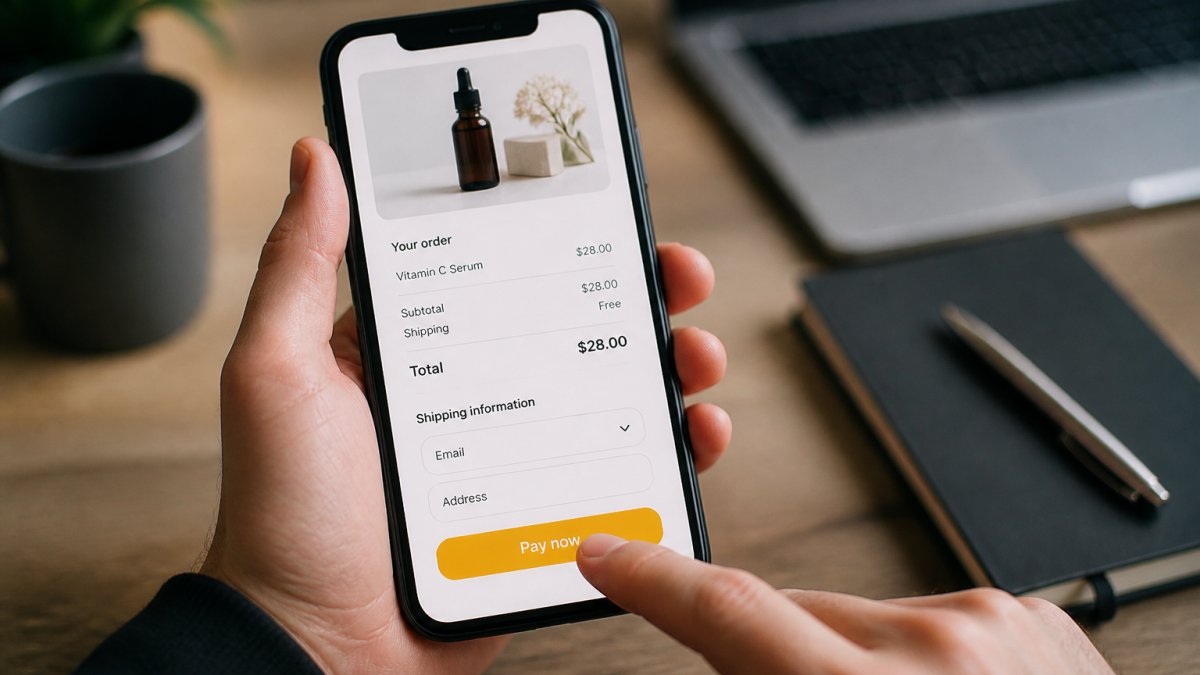
Page speed: Mobile pages should load in under 2 seconds. Measure with Google PageSpeed Insights, compress images, remove unnecessary scripts, and use fast hosting.
Form length: Ask only for what you need, email and phone are usually enough.
Trust signals: Add a security badge. Show customer reviews. Display a money-back guarantee. Mobile users are cautious.
Checkout flow: Minimize steps. One-page checkout beats multi-page. Show progress if you do use multiple pages.
Record a mobile buying session with real people and watch where they get stuck, that's where you lose sales.
Many brands see conversion rates double after optimizing mobile checkout.
Audience Targeting and Campaign Objective Misalignment
Your campaign objective tells TikTok what to optimize for.
If your goal is sales, use the "Conversion" objective so TikTok finds people most likely to purchase.
Audience targeting works best when it matches your product.
Common targeting mistakes:
- Targeting too broad (all women 18-65)
- Targeting too narrow (only people who visited your site)
- Using interest targeting that doesn't match your product
Let your campaign run for at least 500 conversions before you change anything.
If you're not sure who buys your product, start broad and let TikTok find your audience.
TikTok Ad Creative Examples: What Actually Drives Sales
Creative quality is where most campaigns fail. Your ad has three seconds to grab attention, and most don't make it past one.
TikTok users scroll fast and ignore polished, corporate ads.
What works on TikTok:
- Authentic testimonials: Real customers talking about your product
- Problem-solution format: Show a problem, solve it with your product
- Trending sounds: Use popular audio with your product
What doesn't work:
- Professional voiceovers
- Product shots with no context
- Text-heavy slides
The best TikTok ads look user-made, not agency-made: quick, punchy, and entertaining first, with the product sell second.
Creative testing is how you find what actually works for your product. What works for one brand might flop for another.
Testing and Benchmarking Your Way to Profitability
Most brands run one ad, see it fail, and give up on TikTok. The brands that succeed run structured tests and read results correctly. The difference isn't budget, it's knowing which metric to look at, in what order, and when a result is real versus noise.
Read your funnel stage by stage, not metric by metric
A single metric never tells you what's broken, CTR alone doesn't prove your creative works, and CPA alone doesn't prove your offer is bad. Read the funnel as a chain and find the first stage that breaks.
Here's a practical diagnostic order. Start at the top and stop at the first stage that looks wrong:
- Impressions and CPM. If impressions are near zero, the problem is delivery, bid too low, audience too narrow, or creative rejected. If CPM is far above your usual range, your audience is too small or too competitive.
- CTR (click-through rate). If impressions are healthy but CTR is under roughly 1%, the creative or the hook is the problem. The audience saw the ad and didn't care.
- Landing page view rate. Compare clicks in Ads Manager to sessions in your analytics tool. If clicks are 1,000 and sessions are 400, you have a redirect, load-speed, or tracking problem between the ad and the page.
- Add-to-cart rate. Of the people who landed, how many added to cart? A low rate points to message match, price shock, or product-page clarity.
- Checkout initiation rate. Of those who added to cart, how many started checkout? A drop here points to shipping cost, tax surprise, or account-creation friction.
- Purchase rate and CPA. Of those who started checkout, how many finished? A drop here points to payment options, form length, or trust signals.
Most practitioners find the first broken stage holds 80% of the loss. Fix it before touching anything else, changing creative when your checkout is broken just sends more people into a leaky bucket.
Rough benchmark ranges to orient yourself
These are starting points, not targets. Your product, price, and audience will shift them.
- CTR: roughly 0.5% to 2% for most direct-response campaigns; higher for entertainment and impulse products, lower for considered purchases.
- Landing page view rate (clicks to sessions): above 80% is healthy; below 60% usually signals a technical problem.
- Add-to-cart rate: varies widely by category, but a meaningful drop versus your own baseline is the signal, not the absolute number.
Treat these as a sanity check. The most useful benchmark is your own historical performance on the same funnel stage.
Test one variable at a time, and wait for significance
The most common testing mistake is changing audience, creative, and landing page at once, then not knowing which change caused the result. The second is calling a winner after 20 clicks.
A simple framework:
- Isolate the variable. Test creative against a fixed audience and landing page, audience against a fixed creative, and landing page against a fixed ad.
- Set a minimum sample before you judge. For conversion-rate decisions you generally need 50-100 conversions per variant; for CTR, a few thousand impressions. Below those thresholds, you're reading noise.
- Run for a full week minimum. TikTok delivery varies by day and time, so a 24-hour test can be dominated by one good or bad daypart.
Scale only after the funnel is stable
Once a campaign is profitable, scale gradually, commonly 20-30% every few days rather than doubling overnight. Large jumps reset the learning phase and can spike CPA. Watch CPA and ROAS after each increase; if CPA rises sharply and stays elevated for several days, pull back to the last stable budget.
Frequently Asked Questions
Why are my TikTok ads getting clicks but no conversions?
Clicks without conversions usually signal a mismatch between your ad promise and landing-page experience, broken conversion tracking, or audience targeting that brings traffic but not buyers. Start by checking three things: Does your pixel fire correctly on purchase events? Does your landing page load fast on mobile? Does your audience actually match your ideal customer? Most brands find the issue is landing-page friction, pixel misconfiguration, or targeting too broad an audience.
How do I troubleshoot TikTok Pixel issues that prevent conversions from being tracked?
Use TikTok Ads Manager's pixel event debugger to verify your pixel fires on purchase. Check that the purchase event is configured with the correct value and currency parameters. Test the pixel on your own device by adding an item to cart and completing checkout, then check Ads Manager within 15 minutes to see if the conversion event appears. Common issues: pixel installed on the wrong page, purchase event not mapped to your checkout completion, or incorrect event parameters. If events don't appear after 24 hours, reinstall the pixel code and verify it's firing before checkout loads.
What should I prioritize first: changing my creative, audience, or landing page?
Start with landing page and tracking. If your pixel isn't firing or your page has high bounce rate, no creative will fix it. Once tracking is confirmed and your page loads fast on mobile, test audience targeting: narrow your audience to your highest-intent segment first (e.g., people who engaged with similar brands) and measure cost per conversion. Only after these are optimized should you test creative variations. Most brands waste budget on creative testing when the real problem is funnel friction.
How long should I run a TikTok ad campaign before deciding it's not working?
Run campaigns for at least 3-5 days with a reasonable daily budget to gather statistically meaningful data. TikTok's algorithm needs time to learn your audience and optimize delivery. However, if your pixel is tracking conversions correctly and you're seeing strong impressions and clicks but zero or very few conversions after 5 days, the problem is not time, it's creative-audience fit, offer relevance, or landing-page experience. Don't extend a campaign hoping it improves if the fundamentals are broken.